 Halo
Halo
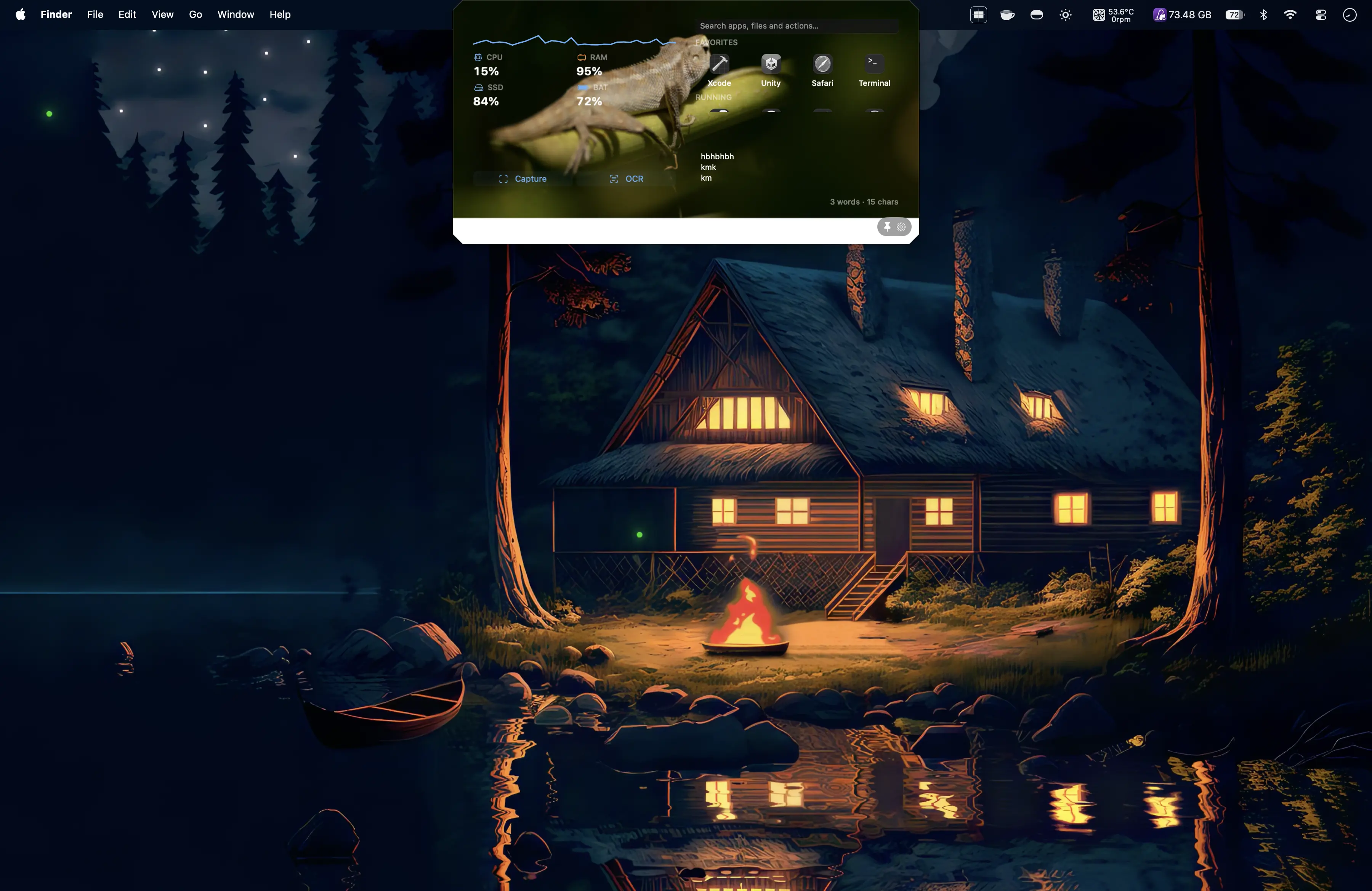
Visual Workspace
Build an 8×4 workspace with adaptive widgets for media, timers, notes, system stats, files, launchers and more.
Halo is an app for your MacBook’s notch. It turns the space around it into a place for music, useful tools, live updates, and a little personality.
Choose what matters most. We’ll show you where Halo fits into your day.
See Halo bring music, files, Context Interfaces, Bubbles, customization and more into the space around your Mac’s notch.
A polished, ready-to-go Halo with the essentials up front, fixed layouts and far less setup.
See Halo move between compact and expanded music experiences directly from the notch.
Halo by Redstoneinvente is a Mac notch app for macOS. It uses the area around the MacBook notch for useful controls and information instead of leaving it as dead space.
Use Halo as a streamlined notch utility, a customizable Dynamic Island-style experience for Mac, a home for widgets and media controls, or a context-aware surface for productivity and third-party app integrations.
Simple mode keeps the experience focused. Advanced mode opens deeper layouts, profiles, backgrounds, surface styles, Context Interfaces, Notch Bubbles and behavior controls.
Build an 8×4 workspace with adaptive widgets for media, timers, notes, system stats, files, launchers and more.
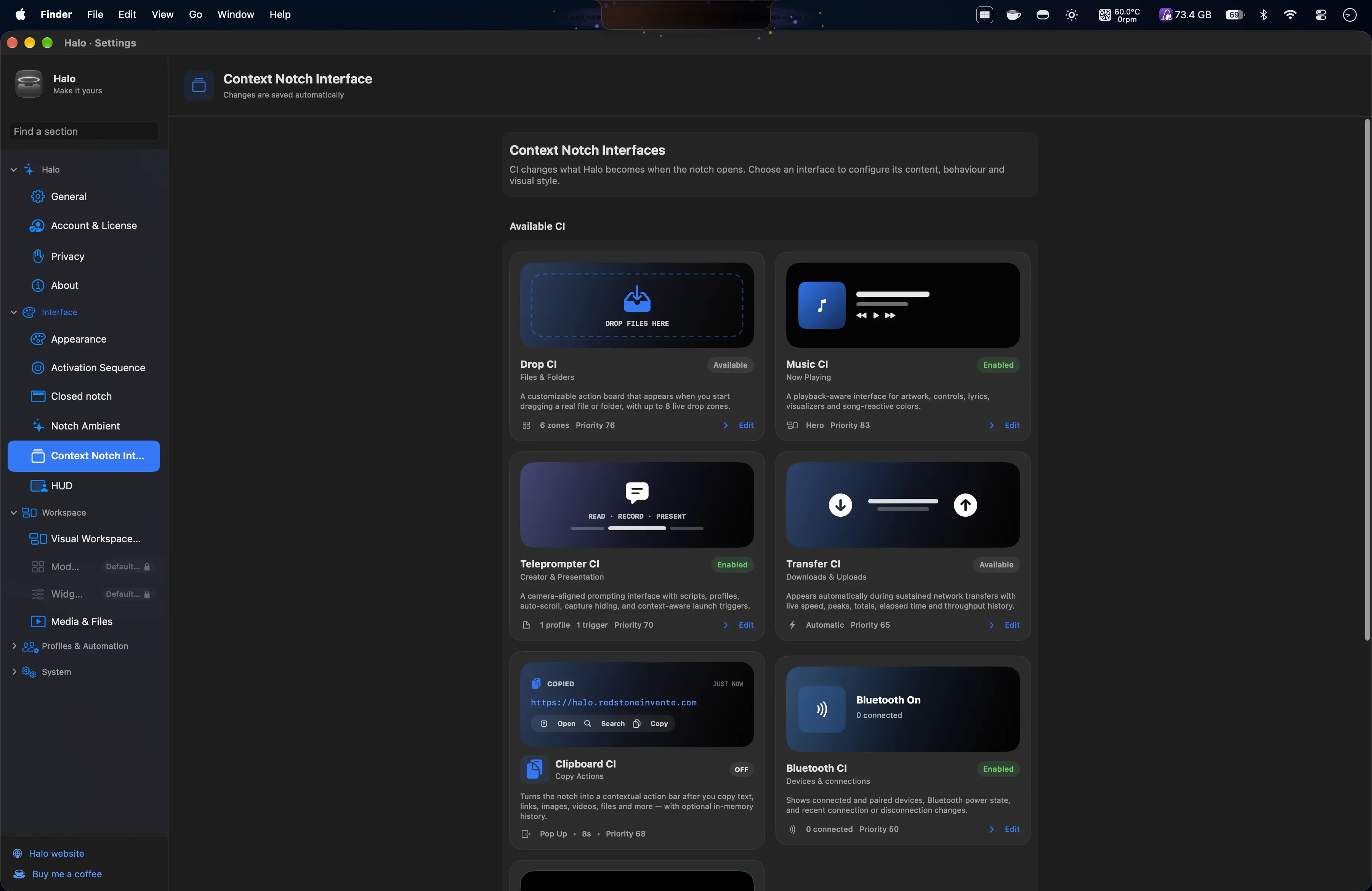
Halo can transform around what you’re doing: music, files, Bluetooth, transfers, clipboard activity and more.
Artwork, lyrics, timelines, visualizers and a vinyl renderer that is absurdly customizable because apparently that was necessary.
Drag in a file and jump straight to Quick Look, Shelf, ZIP, extract, rename, copy path and other contextual actions.
A tiny retro companion with expressions, accessories, personalities and interactions. Completely unnecessary. Very important.
Keep Halo tiny with music, visualizers, timers, battery, status information and ambient decorations around the notch.
Capture regions, extract text, keep clipboard history, pin files, launch apps, run timers and monitor your Mac.
Yes, Halo can become an arcade too. Snake and other playful experiences give the notch a bit of personality.
Notch Bubbles bring live status and quick actions to the edges of your notch in a way that feels natural, fluid and unmistakably Mac.
Connect the tools you already love and make the notch your own.
More integrations are on the way.
Building a Mac app? Let’s make it work with Halo ↗Pixel Pal reacts to you, remembers your little interactions and makes your Mac feel a bit more yours. Poke it, pet it, draw around it—or just let it quietly develop a personality.
Start with Halo Free, try the full experience for 14 days, or upgrade whenever you want. Every direct purchase comes with a 14-day refund window.
Use Halo Free for the essentials, then upgrade whenever you want more.
Download freeFull Halo access on up to 2 Macs. Cancel whenever you want.
Lifetime Halo access on up to 2 Macs. Pay once and keep it.
Customer feedback from people using Halo in the real world.
Join the Discord for help, previews, feature discussions, bug reports and the slightly chaotic process of watching Halo evolve in public.
Most notch apps cover the essentials well. Halo goes further with a full workspace, two levels of complexity, app-window bubbles, playful extras, and a growing integration layer.
| Feature | Halo | NotchNook | DynamicLake | Alcove |
|---|---|---|---|---|
| Music and media controls | Yes | Yes | Yes | Yes |
| Files and drag/drop workflows | Shelf + actions | Files shelf | DynaDrop | Not publicly listed |
| Custom widget workspace | 8×4 Visual Workspace | Widgets | Modules + plugins | Not publicly listed |
| Simple + Advanced experiences | Yes | Not publicly listed | Not publicly listed | Not publicly listed |
| App-window minimization experience | App Bubbles | Not publicly listed | App preview minimization | Not publicly listed |
| Third-party extensibility | Partner CIs + integration SDK | Not publicly listed | Plugins + extensions | Not publicly listed |
| Built-in pixel companion | Pixel Pal | Not publicly listed | Not publicly listed | Not publicly listed |
Comparison checked September 2026. Competitor cells are based on features publicly advertised on their product pages. “Not publicly listed” means we could not find the feature in public materials, not that it is technically impossible or unavailable in every version.
Halo is a customizable Mac notch utility by Redstoneinvente. It turns the MacBook notch into a workspace for widgets, media controls, productivity tools, activities, app integrations and more.
A Mac notch utility adds useful interfaces or controls around the MacBook display notch. Halo can use that area for widgets, media controls, utilities, activities and contextual app integrations.
Yes. Halo can use compact and expanded notch surfaces, Context Interfaces and Notch Bubbles to create a dynamic activity-focused experience around the Mac notch.
Yes. Halo includes widgets for media, timers, notes, calendar information, system stats, files, launchers and other utilities.
Yes. Halo supports third-party integrations and Context Interfaces, including recording and teleprompter-oriented controls, plus Safari integration.
No. Download Halo and use the 14-day trial first.
No. Halo supports multiple surface styles and external-display workflows too.
Yes. Halo supports configurable modules, Visual Workspace layouts, backgrounds, surface styles, Context Interfaces, profiles and more.